
New filtering nodes: 2.3x throughput, 77% lower latency
We replaced the filtering servers that had been running since 2022. A plain-language look at what changed: speed, latency, processors, memory and disks.
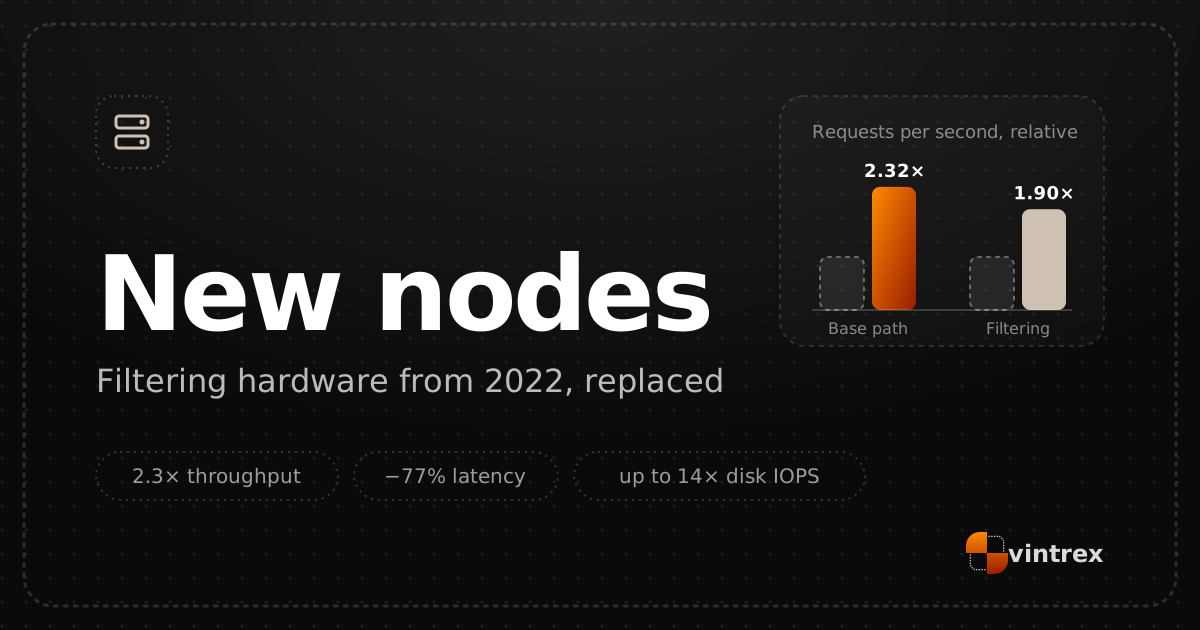
All traffic heading to protected sites passes through our filtering nodes first. They inspect every request, drop attack traffic and forward only real visitors. How fast these servers are determines both how quickly sites load on an ordinary day and how much load we can absorb during an attack.
The old nodes had been running since 2022. Over four years they fell behind on every parameter that matters: processors, memory and, above all, disks. They coped with the current load, but the capacity headroom was steadily shrinking, and the next step in speed and resilience required new hardware.
Delivery of the new servers took more than a month and a half. Once they arrived, we installed them, ran them through the same tests as the old nodes and moved traffic over. The new nodes have now fully replaced the old ones and serve all requests to protected sites. Here is what changed in numbers.
How we compared
Old and new nodes ran the same tests in two modes:
- Base path — the server simply answers requests with no checks. This mode shows the limit of the hardware itself.
- With filtering logic — checks run on every request, as in real operation. This mode is closer to what happens when protecting sites.
Throughput and latency are medians across all nodes of each generation — a typical node, not the best one. Processors, memory and disks were compared directly: one old server against one new one. We do not publish how many requests per second a node handles, only the gain.
Request throughput
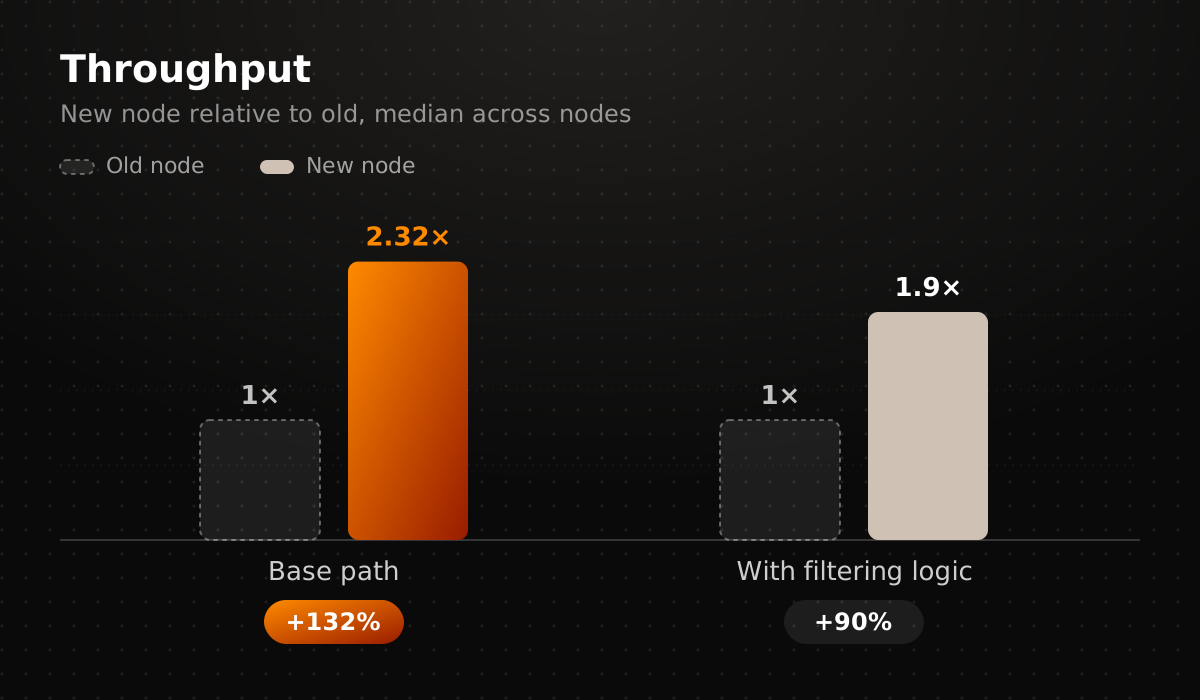
Throughput is how many requests a node can handle per second. On the base path a new node handles the volume that used to take 2.3 old ones — a 132% gain. With filtering logic the gain is 90%: one new node replaces almost two old ones. The difference between modes is expected — checks load the processor more heavily than simply sending a response.
Latency
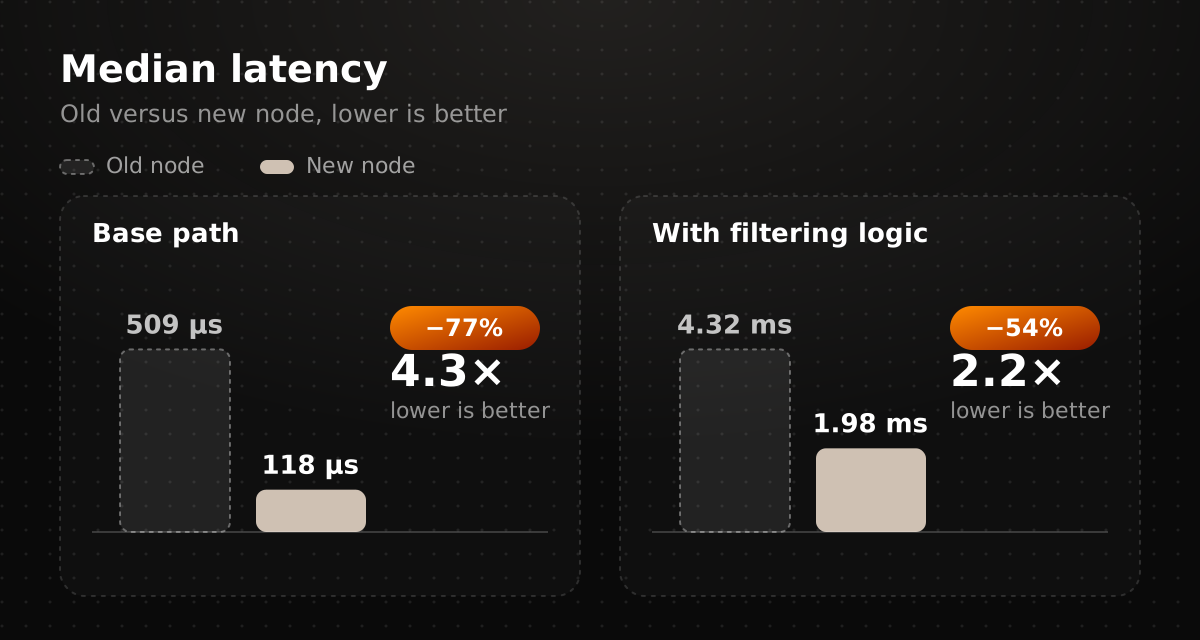
Latency is the time a request spends inside the node before moving on to the site. On the base path it fell from 509 to 118 microseconds — 4.3 times lower. With filtering logic it went from 4.32 to 1.98 milliseconds, more than halved.
For a visitor, this means passing through protection adds almost nothing to page load time. For us, it means that during a traffic spike requests do not pile up in the queue as quickly as before.
Processors and memory
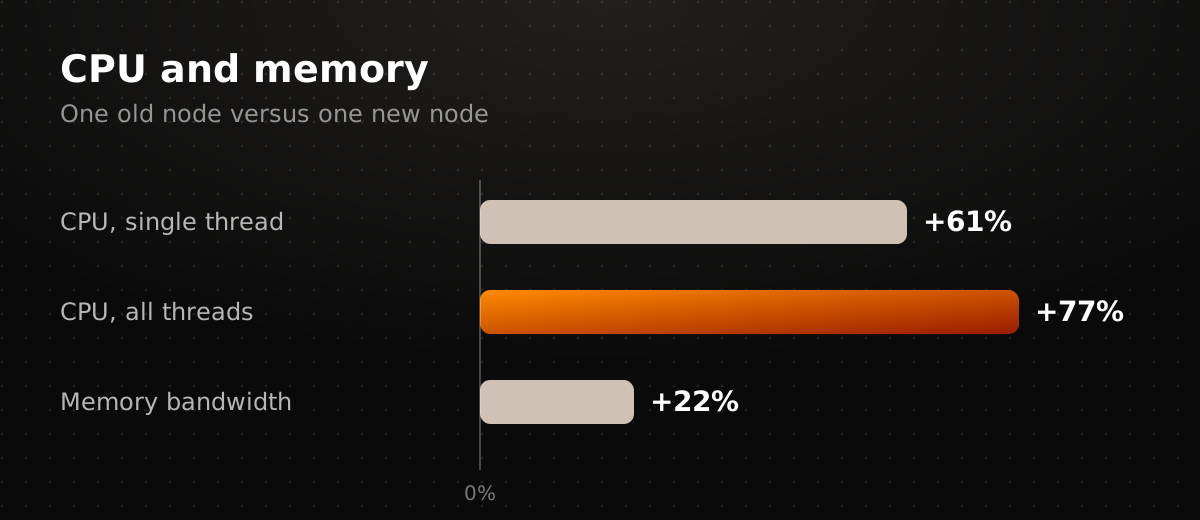
A single core of the new processor is 61% faster than the old one, and the processor as a whole, across all cores, is 77% faster. Total power is what matters for filtering: a server handles thousands of requests at once, and every extra core takes on part of the stream.
Memory speed is up 22%, and each node now has twice as much memory. That is headroom for keeping data about connections and traffic sources, which is especially needed during attacks.
Disks
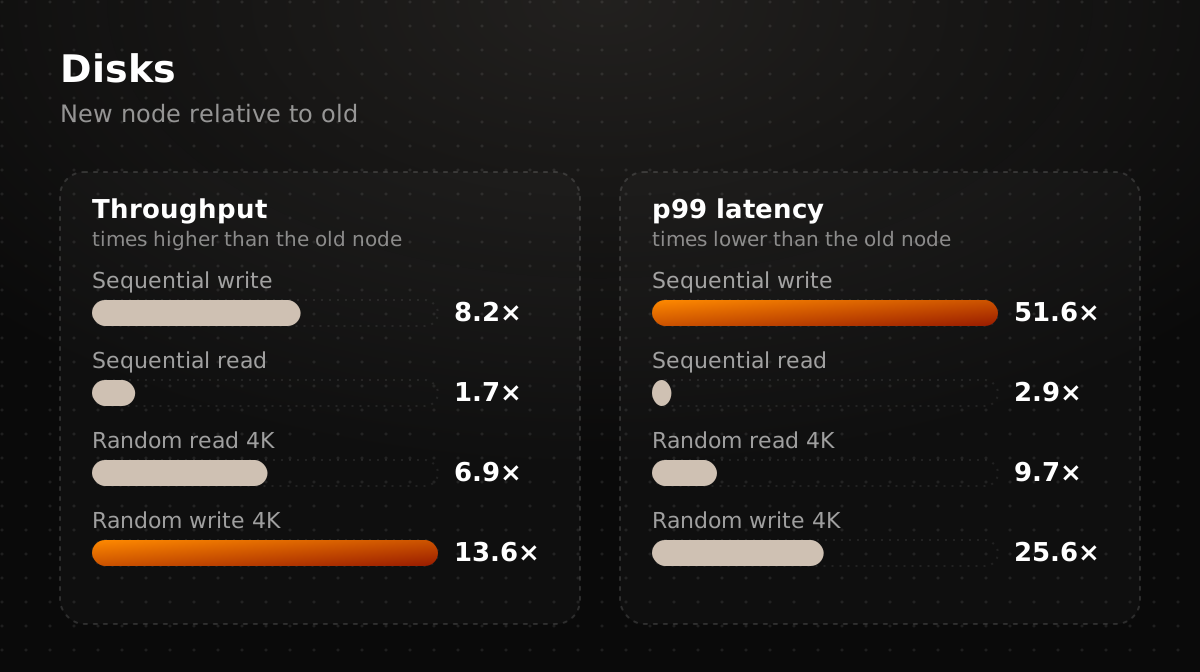
The biggest gap is in the disks. A node writes request logs and internal data to disk, and during an attack that stream grows sharply. A slow disk becomes the bottleneck at exactly that moment.
| Operation | Old node | New node | Difference |
|---|---|---|---|
| Sequential write | 1.27 GB/s | 10.4 GB/s | 8.2× |
| Sequential read | 6.96 GB/s | 11.9 GB/s | +71% |
| Random read 4K | 192k IOPS | 1.33M IOPS | 6.9× |
| Random write 4K | 149k IOPS | 2.03M IOPS | 13.6× |
Sequential operations read and write large files in one go; random ones are many small accesses to different places on the disk. IOPS is the number of those small operations per second.
What matters even more is how a disk behaves at its worst. The p99 figure is the time within which 99% of operations complete; it shows not the average speed but the slowest cases. On the new disks these delays are 51.6 times lower for sequential write, 2.9 times for sequential read, 9.7 times for random read and 25.6 times for random write. It is the rare slow operations during an attack that make data start to back up — that risk is now far smaller.
A new network architecture
Replacing the servers also let us change how the nodes connect to the network. The old hardware limited our choice of connection design, so we brought the new nodes online with a different network architecture. That alone reduced latency: the path a request takes from the visitor to the node and on to the site became shorter.
This is only the first stage. The new architecture gives us more room to tune routes and connections, and we are continuing to work on it. Once that tuning is done, we expect requests to travel faster still and TTFB to drop further — time to first byte, the moment the browser starts receiving the page.
What it means for customers
The new nodes are already taking traffic, and nothing needs to be configured. In normal operation requests pass through protection faster. During an attack the network has more headroom: the same set of servers withstands a noticeably larger stream, and the servers hit hardware limits less often.
You can follow the state of your projects in the workspace; questions are welcome in our Telegram channel.